Minecraft Circle Generator Online Tool Description
Have you ever tried to build a circle in Minecraft? It looks easy until you start placing blocks… then suddenly, your “perfect circle” turns into a square donut.
That’s okay — Minecraft isn’t built for smooth curves. But that’s exactly why we made the Minecraft Circle Generator at Fileion.
This free online tool helps you draw perfect circles, domes, and ovals with just a few clicks. You don’t need math, patience, or luck — just enter your size, pick your style, and watch your circle appear block by block, ready for your next big build.
Whether you’re planning a castle tower, a roof, a fountain, or a giant pizza base (yes, people do that), this tool makes every curve clean and every circle perfect.
How the Minecraft Circle Generator Works
The Fileion Minecraft Circle Generator turns numbers into shapes — fast and simple. It takes your chosen width and height, uses a clever geometry formula, and shows you the exact blocks you’ll need to build your circle inside Minecraft.
Here’s how you can easily navigate in the Minecraft Circle Generator interface-
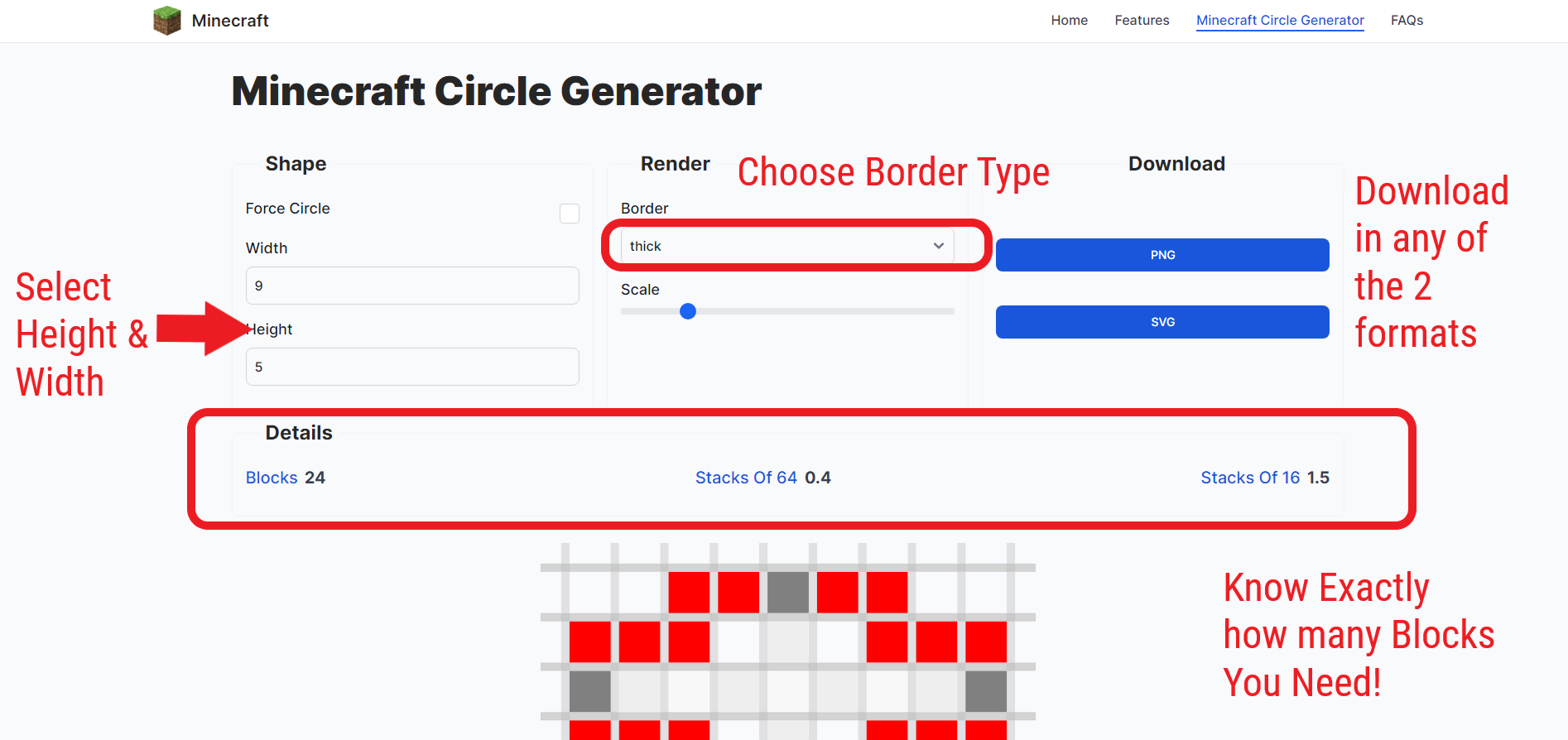
Choose Your Circle Size- Shape
Type your Width and Height in blocks.
-
Keep both the same to make a perfect circle.
-
Make them different to create an oval or stretched dome.
-
Turn on Force Circle if you want both sides to always match.
The tool updates the circle instantly — no extra clicks, no waiting.
Pick the Style You Like- Render
You can choose how your circle will look:
-
Thin – a simple one-block outline for small or delicate builds.
-
Thick – a bold double border for strong structures like walls or bases.
-
Filled – a complete circle that’s perfect for floors, roofs, or pixel art.
As soon as you select your style, the preview changes right away, showing every block’s position in a neat grid.
Watch the Real-Time Preview- The Result
Behind that simple grid, the generator is quietly using math magic — the Midpoint Circle Algorithm.
It’s a formula that figures out where each block should go to look round, even though Minecraft is made of squares. The tool checks every block spot, one by one, and asks:
“Does this spot belong to the circle?”
If yes, it colors it blue.
If no, it leaves it blank.
That’s how it creates smooth, round shapes that fit perfectly into Minecraft’s square world.
Download Your Circle
Once your circle looks just right, click Download PNG or Download SVG.
-
PNG is easy to view and perfect for using on another screen while you build.
-
SVG is extra clear — great if you want to print it or zoom in while planning.
Each downloaded file is a block-by-block map you can follow inside Minecraft. Just open it and build one square at a time — your circle will come to life faster than you’d think.
Understand the Block Count- Details
Every time you generate a shape, the tool automatically shows how many blocks it contains and how many stacks you’ll need to build it.
Here’s the math in action:
For a 6×6 circle, the generator creates a 36-block grid (6×6). Out of those, 32 blocks belong to the circle — the remaining four corner spots are left blank because they fall outside the curve.
So, visually and mathematically:
-
Total Grid Cells: 36
-
Filled Cells (circle): 32
-
Empty Cells (outside curve): 4
That’s why the tool displays:
Blocks: 32 | Stacks of 64: 0.5 | Stacks of 16: 2.0
What it means:
-
Blocks – total blocks needed to build your circle.
-
Stacks of 64 – total ÷ 64 = number of stacks if your blocks go up to 64.
-
Stacks of 16 – total ÷ 16 = number of stacks if your blocks only stack to 16.
So, if your circle uses 32 blocks, that equals half a stack of 64 or two stacks of 16.
This small calculation helps you plan your materials and inventory before you start building — no more running out halfway through a project.
Our Minecraft Circle Chart
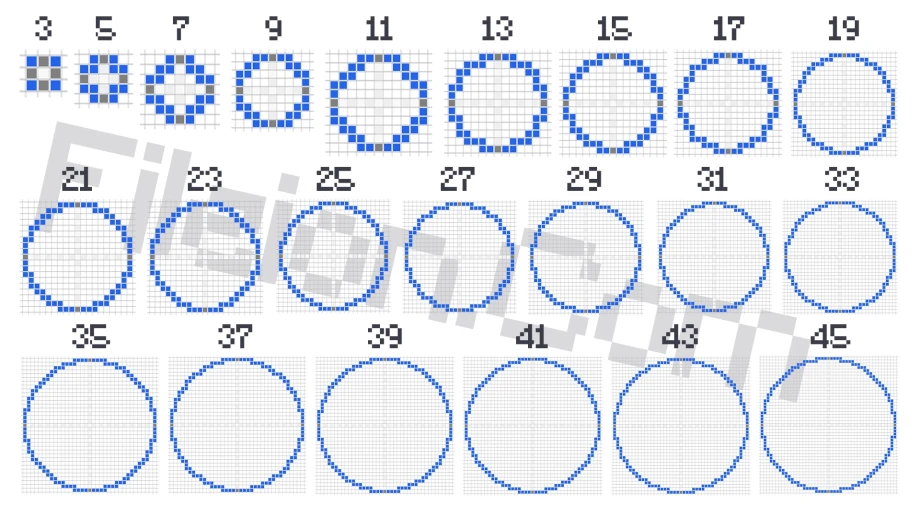
Before you start building, it helps to know how big your circle will actually look. The Minecraft Circle Chart gives you that visual reference in seconds.
It shows circles of different sizes side by side — like comparing a 5×5 circle to a 9×9 circle — so you can see how large or small your design will appear in your build.
Smaller diameters look compact and tight, while larger ones stretch smoothly across your grid. The chart makes it easy to pick the right size before you start building, saving you time and blocks.
With the Fileion Circle Chart, you can plan every project precisely — no trial, no error, just perfect proportions.
How to Use Our Minecraft Circle Generator?
You don’t need any extra software or setup — everything works right from your browser. Here’s how simple it is:
First, make sure the tool loaded properly. Once it loads, decide what kind of shape you want to create — a perfect circle or a stretched oval.
If you want a perfect circle, keep the Force Circle option checked. If you’d rather make something unique and uneven, uncheck it to customize the width and height separately.
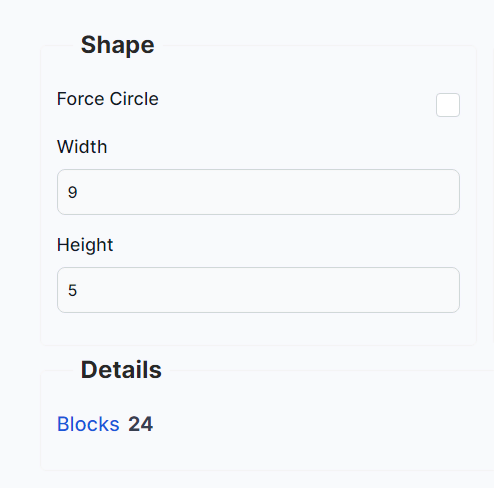
Next, explore the Render Options. Adjust the border thickness or scale until your shape looks just right. You’ll see the changes instantly in the preview grid.
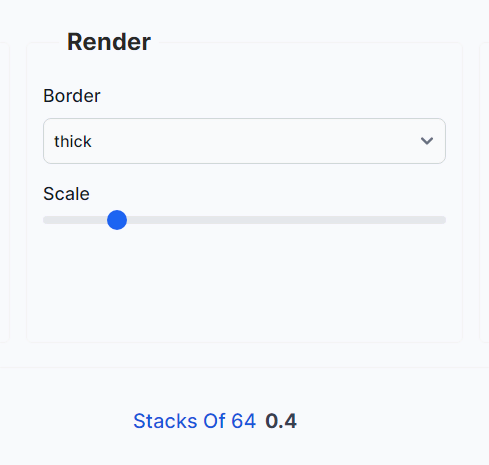
When everything looks perfect, scroll down and choose your download format — PNG or SVG. Before downloading, take a quick look at the block and stack count so you know exactly how many materials to gather in-game.
Once you download the file, you can use it anytime. Open it on your device, follow the grid block by block inside Minecraft, and your circle will appear exactly as shown.
Advantages of Using Minecraft Circle Generator
Building circles in Minecraft by hand is time-consuming and often frustrating. But this generator changes everything.
It saves you time by doing all the thinking for you — no measuring, no guessing, no messy outlines. You just pick your options and start building.
It gives you perfect accuracy. Every curve, every block, every corner fits exactly where it should.
It gives you freedom. You can make circles, ellipses, domes, or rings — any way you like. You’re not stuck with one pattern or size.
And it’s reusable. Once you’ve generated your favorite shape, you can save the image or copy the link to use it again later.
In short, this little tool does all the hard work so you can spend your time doing what you love most — building and exploring.
Why Fileion’s Minecraft Circle Generator Is Unique?
There are other circle generators out there, but Fileion’s version is designed with care, clarity, and creativity.
The interface is bright, simple, and easy to use. You can see changes live as you adjust settings — no refreshing or complicated menus.
It also includes smart features like block counting, stack calculation, and downloadable charts that most other tools skip. And it works smoothly on phones, tablets, and PCs, so you can design wherever you are.
Everything you need is right there, clean and easy — made for players, not programmers.
How to Make an Oval or Ellipse?
Want something that’s not a perfect circle? That’s just as easy.
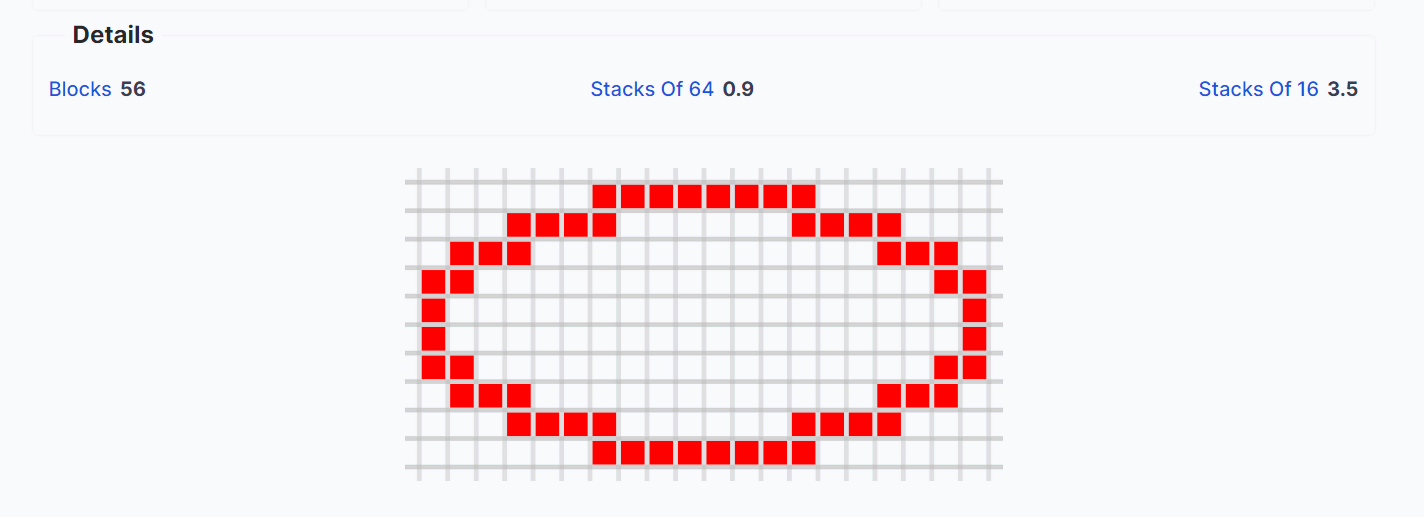
Open the Minecraft Circle Generator, and make sure the “Force Circle” box is unchecked. This unlocks the width and height so you can set different values.
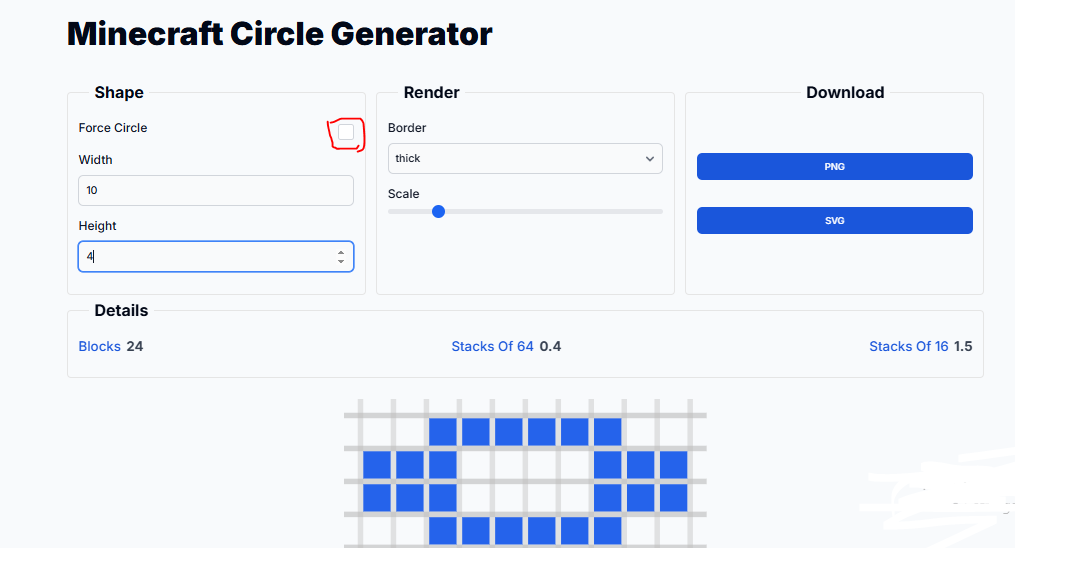
You can use this for long tunnels, curved bridges, or creative roof designs. Once you’re happy with it, download and start building just like you would with any circle.
With just one small adjustment, you’ve opened the door to endless curved designs.
Conclusion
Minecraft is a game of imagination — but imagination shouldn’t be limited by tricky shapes. The Minecraft Circle Generator by Fileion turns rough, blocky attempts into clean, smooth designs in seconds.
You can plan better, build faster, and make circles that actually look round. From tiny 5×5 bases to enormous domes, every shape you generate comes with exact proportions, ready-to-follow grids, and perfect math behind it.
No more frustration, no more uneven circles — just pure creativity.
So now that you know how to use the Minecraft Circle Generator, open it up, play around, and let your next build shine. Because round can finally be perfect — even in a world made of squares.


-p6UL3AcG.jpg?w=70&s=b80e074110e7733cc90ee7e21579c02e)
-p6UL3AcG.jpg?q=100&w=70&s=e1e40ff373cde0719d253e4c908ba38b)